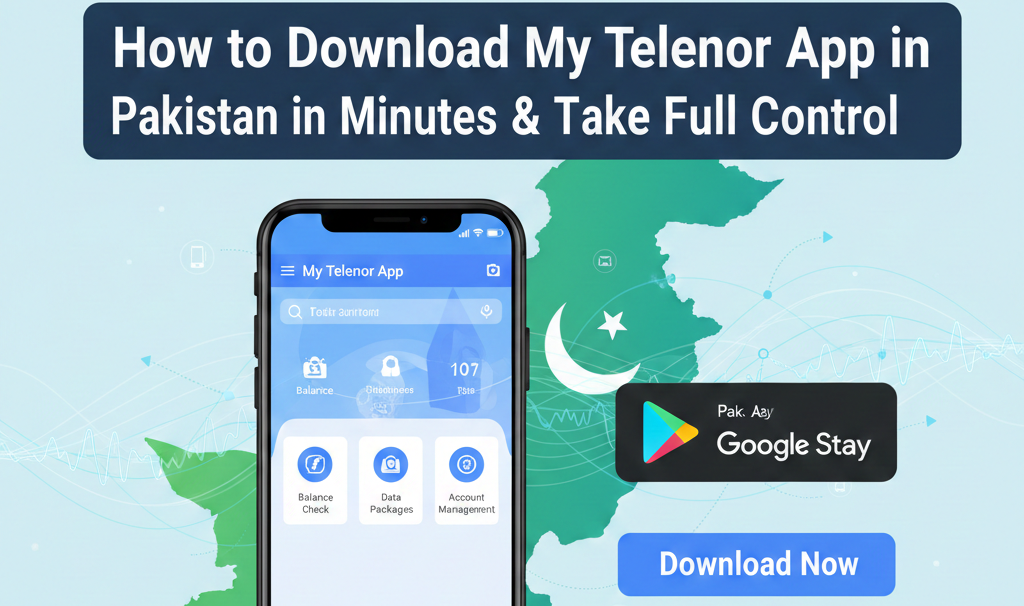
How to Download My Telenor App in Pakistan in minutes and Take Full Control
Suppose, you need to make a call urgently, but you’re out of balance or mobile data and you have no idea how many MBs you’ve consumed.
Sounds familiar? For millions of Telenor customers in Pakistan, managing mobile balance, internet packages, and offers without proper information can be annoying and time-consuming.
We don’t live in the stone-age. In today’s digital age, dialing long codes again and again, visiting mobile franchises just to pop-up your mobile, check your remaining balance, or activate your favorite bundle feels outdated.
Thanks to Telenor Pakistan, that has introduced a smart and easy solution — Download My Telenor App on single click. This app is designed to give you full control on your Telenor network by just using your smart phone.
This app gives you easy solutions to problems like data usage, mobile pop-up, bundle subscription, or exclusive discounts. Let’s explore how to Download My Telenor App just on single click and use it effortlessly.
If you’re wondering how to download My Telenor App in Pakistan, don’t worry — the process is very simple and beginner-friendly.
Don’t worry, here is a step-by-step guide to Download My Telenor App — the process is very easy and user-friendly.
Requirements to Download My Telenor App
Before you download the My Telenor App in Pakistan, make sure you have a few basic things ready so the installation and login process works smoothly without any errors.
The app is designed for quick access and easy SIM management, but it requires an active device, internet connection, and a valid Telenor number for verification.
When these requirements are available, you can install the My Telenor App in minutes and start checking your balance, internet MBs, and active packages with full control of your Telenor SIM.
Basic Requirements
- A smartphone (Android or iPhone) that supports the My Telenor App
- A stable internet connection (mobile data or Wi-Fi) for downloading and setup
- An active Telenor SIM or valid Telenor number
- Ability to receive OTP via SMS for secure login and verification
If You Are an Android User
If you are using an Android smartphone, you can easily download the My Telenor App in Pakistan within a few minutes directly from the Google Play Store.
The official app by Telenor Pakistan allows you to manage your SIM, check remaining MBs, activate internet packages, and recharge your balance without using any USSD codes.
Follow the simple steps below to install the app safely from the official source.
Steps to Download My Telenor App on Android
- Open the Google Play Store on your smartphone.
- Type “My Telenor App” in the search bar.
- Select the official Telenor Pakistan app from the results.
- Tap Install and wait for the installation to complete.
If You Are an iPhone User
If you are using an iPhone, you can quickly download the My Telenor App in Pakistan from the Apple App Store in just a few steps.
The official My Telenor Pakistan app helps you check your balance, monitor remaining MBs, activate packages, and manage your Telenor number without dialing any codes.
Make sure you install the original app published by Telenor Pakistan for a safe and smooth experience.
Steps to Download My Telenor App on iPhone
- Open the Apple App Store on your iPhone.
- Search for My Telenor App in the search bar.
- Tap “Get” and wait for the app to install on your device.
How to Log In to My Telenor App in Pakistan
Once you have successfully downloaded and installed the My Telenor App in Pakistan, logging in is simple and secure.
The app uses OTP (One Time Password) verification to protect your account and ensure only the SIM owner can access the services.
Follow the complete guide below to log in without any issues and start managing your Telenor number easily.
Step-by-Step Login Process
- Open the My Telenor App on your smartphone.
- On the welcome screen, enter your active Telenor mobile number.
- Tap on Continue / Login.
- You will receive a One Time Password (OTP) via SMS on your Telenor number.
- Enter the OTP in the app to verify your number.
- Once verified, you will be logged in and redirected to the My Telenor App dashboard.
What You Can Do After Logging In
After login, you get full control of your Telenor SIM directly from your mobile phone. The app allows you to manage everything without dialing any USSD codes.
Key Features Available After Login
- Check remaining balance, MBs, minutes, and SMS
- Activate or deactivate internet and call packages
- View data usage and call history
- Get free MBs and daily rewards
- Recharge your number using bank cards or Easypaisa
- Manage multiple Telenor numbers in one app
Key Features of My Telenor App
The My Telenor App Pakistan is designed to give users complete control over their Telenor SIM with a smooth and user-friendly experience.
From tracking usage in real time to activating exclusive offers, the app eliminates the need for USSD codes and physical recharge cards.
Below are the most important features that make the My Telenor App an essential tool for every Telenor user.
Top Features Explained
- Real-Time Balance & Mobile Data Tracking
Instantly check your remaining balance, internet MBs, call minutes, and SMS with live updates to avoid overuse. - Easy Bundle Subscription
Browse and activate internet, call, and SMS bundles directly from the app with just one tap. - Exclusive App-Only Offers
Enjoy special discounts, bonus MBs, and deals that are available only for My Telenor App users. - Hassle-Free Recharge
Recharge your Telenor number anytime without visiting a shop or using scratch cards. - User-Friendly Interface
Clean design and simple navigation make the app easy to use for beginners, students, and elderly users. - Manage Multiple Numbers in One App
Add and manage multiple Telenor numbers from a single account—ideal for families and business users. - Easy Online Recharge Options
Recharge directly using banking apps, debit/credit cards, JazzCash, and Easypaisa in a secure environment.
Problems the My Telenor App Solves
The My Telenor App Pakistan is designed to remove the most common frustrations faced by Telenor users in daily mobile usage. Instead of dealing with balance issues, forgotten packages, or long customer service calls, the app puts everything in one place and gives you instant control over your Telenor number. Below are the key problems the app effectively solves.
Common Issues Solved by My Telenor App
- Running Out of Balance Suddenly
Real-time balance tracking alerts you before your balance runs out, helping you stay connected at all times. - Forgetting Active Packages
Easily view all active internet, call, and SMS bundles in one dashboard so you never lose track again. - Missing Special Telenor Offers
Get instant access to exclusive app-only deals, discounts, and bonus MBs that are not available through USSD codes. - Difficulty Tracking Internet Usage
Monitor daily and monthly data usage with clear graphs and usage history to avoid unexpected data depletion. - Wasting Time on Customer Service Calls
Most issues—recharge, package activation, balance check—can be handled directly in the app without calling helplines.
One App, Endless Convenience
Hence, In today’s world, where everything is becoming digital, using outdated ways to manage your mobile number doesn’t make sense. You can make one of the smartest decisions by Downloading My Telenor App in Pakistan.
This app gives you hands-on control on your mobile network by activating mobile packages and enjoying special deals. It saves your time by reducing stress and ensuring that you never miss your important calls, messages and offers again.
So, what are you waiting for? Download My Telenor App today, log-in from your number and enjoy the smarter and smoother experience ever.